For Web:
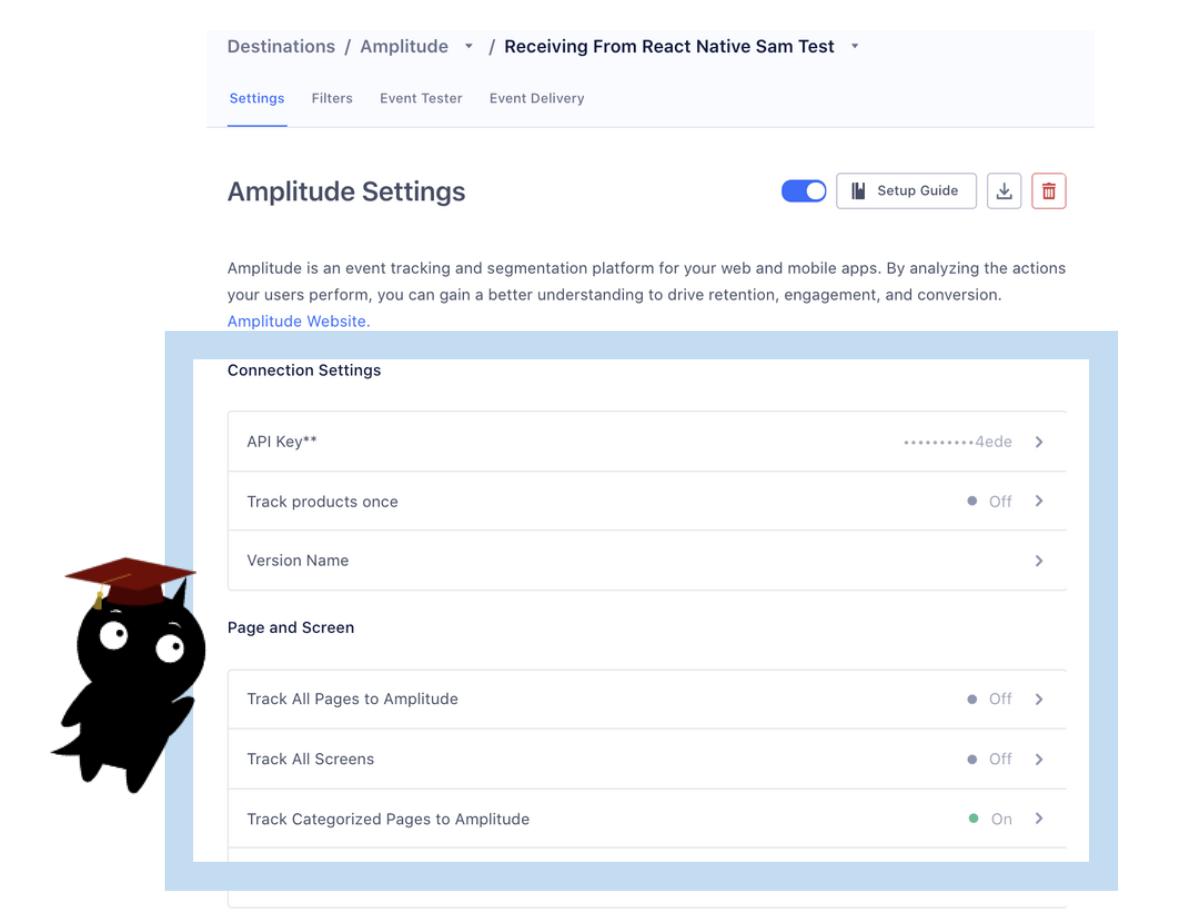
"Track Categorized Pages" is the most ideal setting to enable, but not all customers track a 'category' property. For Web, "Track All Pages" is the ideal setting as well, so all page calls are collapsed under a 'Loaded a Page' event in Amplitude.
For Mobile:
Enable "Track All Pages" and Segment will send a "Viewed (Name) Screen" event - which is most ideal.
Most of the time, Segment/Amplitude customers have lower cardinality on mobile and it's helpful to break out each screen by name. Page Calls:
Mutual customers oftentimes see events like 'Loaded a Page' and 'Viewed X Page' in Amplitude and get confused because those are not event names they recognize (e.g. they're looking for it among the events they track via Track calls). There is no equivalent in Segment's UI (Segment shows the raw page calls).
Suggestion: For these customers, the option to "Track All Pages" or "Track Categorized Pages" is the optimal Amplitude Destination setting.
Screen Calls:
Destination settings are different for Android and iOS, and the names can be confusing.
For example, the setting "Track All Pages" enables screenviews from iOS even though this setting affects screen calls (as iOS does not have Page calls).
For both page/screen: it’s better to surface how Page and Screen calls are transformed via the integration and sent to Amplitude. Right now this is located within the Amplitude Destination settings (you need to click into the setting to read the description) or in Segment's documentation.